
eBay online shopping & selling
eBay MobileShopping
4.5694.79K Reviews
- Version
- Varies With Device
- Installs
- 100.00M
- Age Rating
- Teen
Screenshots




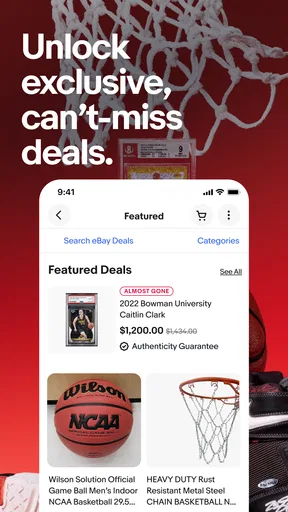
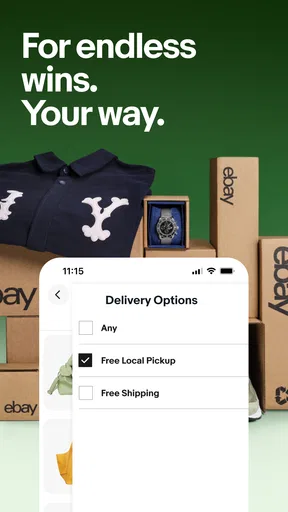


Our Review of eBay online shopping & selling
 Analysis by Appyee
I use eBay most when I’m looking for something specific that might be hard to find in a conventional shop: an older item, a particular version of a product, or something secondhand that still has plenty of life left in it. The app brings buying and selling together, so browsing can lead to a purchase, but it can also remind me that an item I no longer use could be worth listing. That two-way marketplace is the capability that shapes the experience most.
A marketplace built around choice
Rather than showing only stock from one retailer, eBay lets me compare listings from different sellers. That range is useful when the exact item matters more to me than getting everything from one shop. I can look through new and pre-owned options, check how an item is described, and weigh one listing against another before deciding. The trade-off is that the range requires more judgement: the marketplace is not a single shelf with identical products and one standard description.
eBay Mobile develops the app, which is free to use and sits in the shopping category. It has a Teen content rating, and its long-running presence has made it familiar to many buyers and sellers. The app has an average rating of around 4.5 from about five million ratings, with more than 100 million installs. Those figures suggest broad use, but they don’t remove the need to check a particular seller or listing carefully.
How I shop without getting lost
When I’m searching, I start with the item’s defining details rather than a broad phrase. A model name, size, edition, or other identifying feature can make results easier to compare. I then use the available filters for category, brand, price, and condition to narrow the list. This is more effective than scrolling through loosely related results, especially when I’m comparing a new item with a used one.
Once I find a plausible listing, I read the description and look closely at the photos before I get attached to the price. I also check the seller’s rating and reviews, then compare the listing with similar options. That extra minute matters on eBay because two listings for what sounds like the same thing may differ in condition, included pieces, or the way the seller describes it. If a detail would change my decision, I treat it as something to resolve before buying rather than assuming it is included.
Not every listing is an auction. The Buy It Now option gives me a direct route when I’d rather choose a listed price than wait and compete with other bidders. Auctions can be enjoyable when I’m after a scarce find, but they make it easier to get caught up in the moment. I decide what I’m willing to pay before bidding; if the price moves beyond that limit, I leave it alone. The chance of missing one listing is usually less costly than paying more than the item is worth to me.
When the buying-and-selling mix helps
A realistic use for me is replacing a small household item without buying the first version I see. I can search for the exact model, compare used and new listings, and check whether the condition suits how I’ll use it. If I have a similar item at home that I no longer need, I can also consider listing it rather than letting it sit unused. The app makes those two tasks part of the same marketplace, although selling still calls for clear photos, an accurate description, and time to handle the listing.
That broad choice is where eBay differs from a typical single-retailer shopping app. A retailer’s own app can be simpler when I want a new product sold directly by that store, with less variation between listings. A local classifieds service may be more convenient when I only want to arrange a nearby exchange. eBay is a better fit when I want to compare independent listings or search beyond what a local shop has in stock. The best option depends on whether variety, a direct retail purchase, or local convenience matters most.
The useful details—and the parts that need care
The personalized feed can make it easier to notice related items after I’ve searched or bought something, but I treat it as a browsing aid, not a shopping plan. Recommendations can keep me exploring when I intended to make one focused purchase. I get more value by returning to a saved search or a specific item I already had in mind than by assuming every suggestion is relevant.
Ratings and reviews help me judge a seller, but they are only one part of the decision. I still compare the listing details and photos, particularly for used or collectible items where condition is central. Similarly, the app’s payment options and secure-payment setup are reassuring, but I don’t let that replace basic care when choosing a seller or understanding what is being offered. A marketplace can make transactions convenient; it cannot make every listing equally clear or suitable.
Selling is approachable if I want to clear out a few belongings, but it is not entirely effortless. A rushed listing can leave a buyer unsure about condition or what is included, so I take photos that show the item honestly and write enough detail to answer likely questions. I also think through the time involved in managing the listing and communicating with interested buyers. For something I want gone immediately with little preparation, another route may be easier; for an item that could interest a wider range of people, listing it can be worthwhile.
Have you ever found yourself browsing through endless online stores, wishing there was a one-stop-shop for everything you could possibly want? Well, let me introduce you to eBay, the online shopping and selling app that’s like a digital treasure chest. Whether you're hunting for a vintage vinyl or the latest tech gadget, eBay has got you covered.
First off, let's talk about the shopping experience. The eBay app makes it incredibly easy to search for products. You can filter by category, brand, price, and even condition. I’ve spent hours scrolling through the app, mainly because it’s so satisfying to find a hidden gem among the vast array of items.
What I love most is the auction feature. It adds a bit of excitement and competition to the mix. Imagine snagging that rare collectible at the last second! Of course, if you’re not into the thrill of bidding wars, you can always opt for the "Buy It Now" option, which is super convenient.
Features Worth Exploring
One of the standout features is the personalized feed. It's almost like the app reads your mind, offering suggestions based on your past searches and purchases. This makes the whole experience feel tailored just for you.
The app also boasts a secure payment system. You can pay via PayPal, credit card, or even Apple Pay. Knowing that your payment info is safe gives a lot of peace of mind.
"eBay has revolutionized the way I shop online. It’s like having a global marketplace at my fingertips!"
Selling Made Simple
Now, let’s flip the coin and talk about selling on eBay. If you’ve got items cluttering your closet, this app is your best friend. Creating a listing is straightforward. You snap a few photos, write a brief description, set your price, and boom—you’re in business.
The app provides tools to manage your listings, track sales, and communicate with buyers. It’s perfect for anyone wanting to start a small online business or simply declutter their home.
Community and Support
One thing that sets eBay apart is its community. There’s a sense of trust among users, built through ratings and reviews. You can see a seller’s rating before making a purchase, which is super helpful.
If you ever run into issues, eBay’s customer support is just a click away. They offer comprehensive help to resolve disputes, ensuring that both buyers and sellers have a positive experience.
Final Thoughts
Overall, the eBay app is a must-have for anyone who loves online shopping or wants to sell items with ease. It’s user-friendly, secure, and full of features that make both buying and selling a breeze. Whether you’re a casual shopper or an avid collector, eBay offers something for everyone.
So, next time you’re on the hunt for a unique find or ready to clear out some clutter, give eBay a try. You might just find exactly what you didn’t know you were looking for. Happy shopping!
Privacy and Permissions
See what permissions an app requests and how it handles your data.
- Location
- approximate location (network-based), precise location (GPS and network-based)
- Photos/Media/Files
- read the contents of your USB storage, modify or delete the contents of your USB storage
- Storage
- read the contents of your USB storage, modify or delete the contents of your USB storage
- Camera
- take pictures and videos
- Microphone
- record audio
- Other
- view network connections, pair with Bluetooth devices, full network access, change your audio settings, control Near Field Communication, run at startup, control vibration, prevent device from sleeping
Verdict
Strengths of eBay online shopping & selling
- Wide variety of products available.
- User-friendly interface for easy navigation.
- Secure payment options enhance safety.
- Regular discounts and deals offered.
- Global shipping expands buying options.
Limitations of eBay online shopping & selling
- Seller fees can be quite high.
- Customer service response may be slow.
- Counterfeit items occasionally listed.
- Auction format can be time-consuming.
- Shipping costs vary widely by seller.
Other Releases by eBay Mobile
View All
eBay Motors: Parts, Cars, more
Auto & Vehicles4.1
Similar Picks in This Category
View All
SHEIN-Shopping Online
Roadget Business PTE. LTD.4.8

Amazon Shopping
Amazon Mobile LLC4.4


Mercado Libre: Compras online
Mercado Libre4.8

Wish: Shop and Save
Wish US Holdings LLC4.7

Alibaba.com - B2B marketplace
Alibaba Mobile4.4
You May Also Like
View All

Frequently Asked Questions
What is eBay and how does it work?
eBay is an online marketplace where users can buy and sell a wide variety of goods. Sellers list items for sale, either at a fixed price or through an auction format. Buyers can search for items, place bids, or make purchases directly. It's a platform that connects buyers with sellers globally.
Is it safe to buy and sell on eBay?
eBay offers several security features to ensure a safe buying and selling experience. It provides buyer protection policies, secure payment options through PayPal and eBay’s own payment system, and seller ratings to assess reliability. However, users should remain vigilant, check seller reviews, and communicate directly through the platform.
What are the fees associated with selling on eBay?
Sellers on eBay are subject to various fees, including insertion fees for listing items and final value fees when an item sells. The fee structure can vary based on the item's category and selling format. eBay provides a fee calculator on its site to help estimate potential costs for sellers.
How can I improve my chances of a successful sale on eBay?
To increase the likelihood of a successful sale, create detailed and accurate listings with clear photos and descriptions. Set competitive prices and consider offering free shipping. Good communication and timely responses to buyer inquiries also enhance trust and can lead to positive reviews, boosting seller credibility.
What should I do if I encounter a problem with a transaction?
If you face an issue with a transaction, eBay provides resolution tools to address disputes. Buyers and sellers can communicate directly to resolve problems. If a mutual solution isn't reached, eBay's Resolution Center can intervene. Always keep records of communications and transactions for reference.
